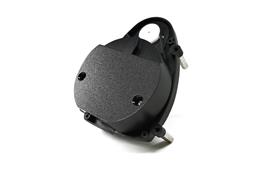






hey, I am building a robot for the world makerfaire @ NY. and I cameup with tht idea of making my robot follow me, but i dont really know how to make it. Does anyone knows?

Diego
USA
Asked
— Edited
6 Participants

how to make what?
Make your robot follow a gps or any other tracking device
Sorry, I thought we answered your question. What else would you like to know?
No nothing I just figured it out.
Excellent!
Also, every control has a ? button next to the X. Be sure to press that button to read a brief detail on how to use that control. For more information, nearly every control has a video associated with it. The Tutorial section has lots of information
thanks, I really appreciate all your help. And I will try to post a video when I am done
Awesome! I'm looking forward to it .. I dig when people post videos of their robots - it's my favorite part of the day!
OK, when I do the maker faire thing, I'm usually wearing a labcoat with a bunch of patches on it. I could have it track one of them, then? Would that be a good target? Something loser down on the coat and on the back, I'm thinking?