


hi where can i find all the stl files from ez robots?i see 3d printing is gone.
Asked
 Resolved by DJ Sures!
1 Participant
 PWM Servo Ramping
— Smoothly ramps PWM servos on EZB D0-D23 via Vx-to-Dx mapping for natural, gradual motion without snapping.
Try it →
Resolved by DJ Sures!
hi where can i find all the stl files from ez robots?i see 3d printing is gone.

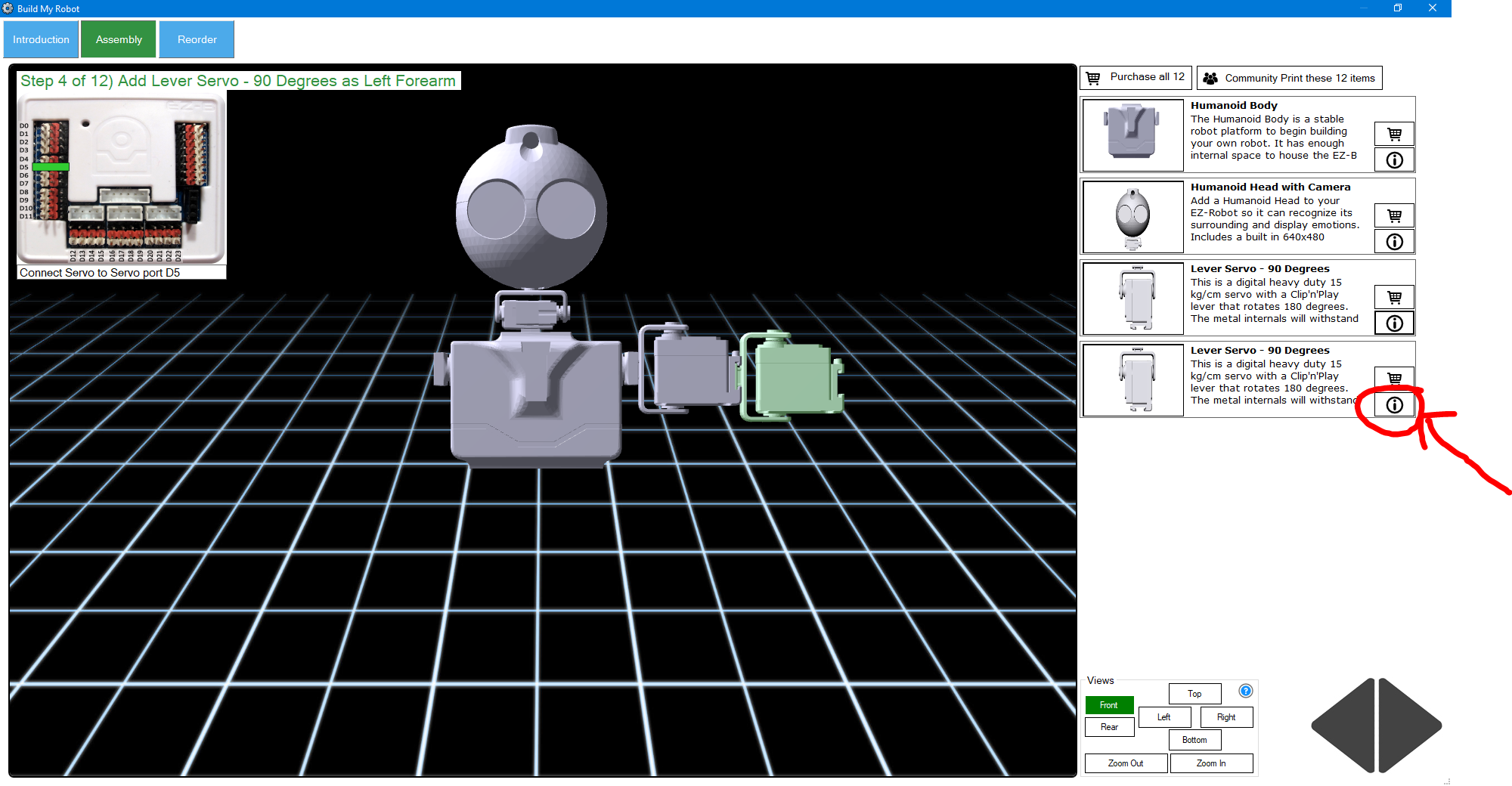
You can find all supported product STL files in ARC projects by clicking the details button of a project component in the build or library
:Dhi dad thanks got it.
Anytime, son
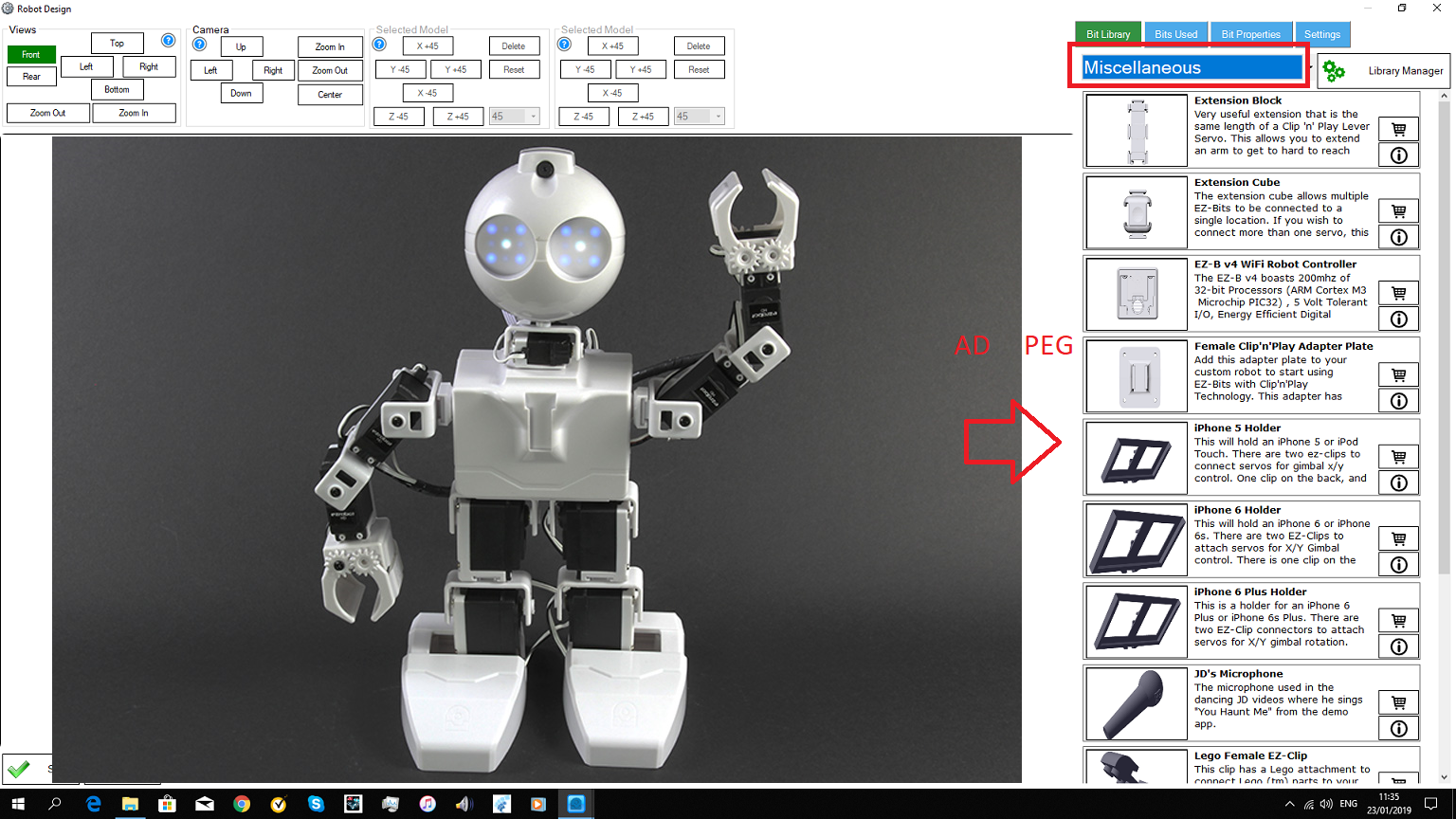
i have one more question.in avery ARC all robots is the miscelleneous availeble for ez bits.is it posible to ad, the peg from six in there?Perhaps your library is out of date. Please use the ezbit library tool and update your library if you’re missing items.
Also, the Hexa pod foot is located in the "feet" category. Please double check on your own before posting questions on the forum.
i did cheked that twice,it says libary up to date.indeed its under feet.sorry.you can delete this question.
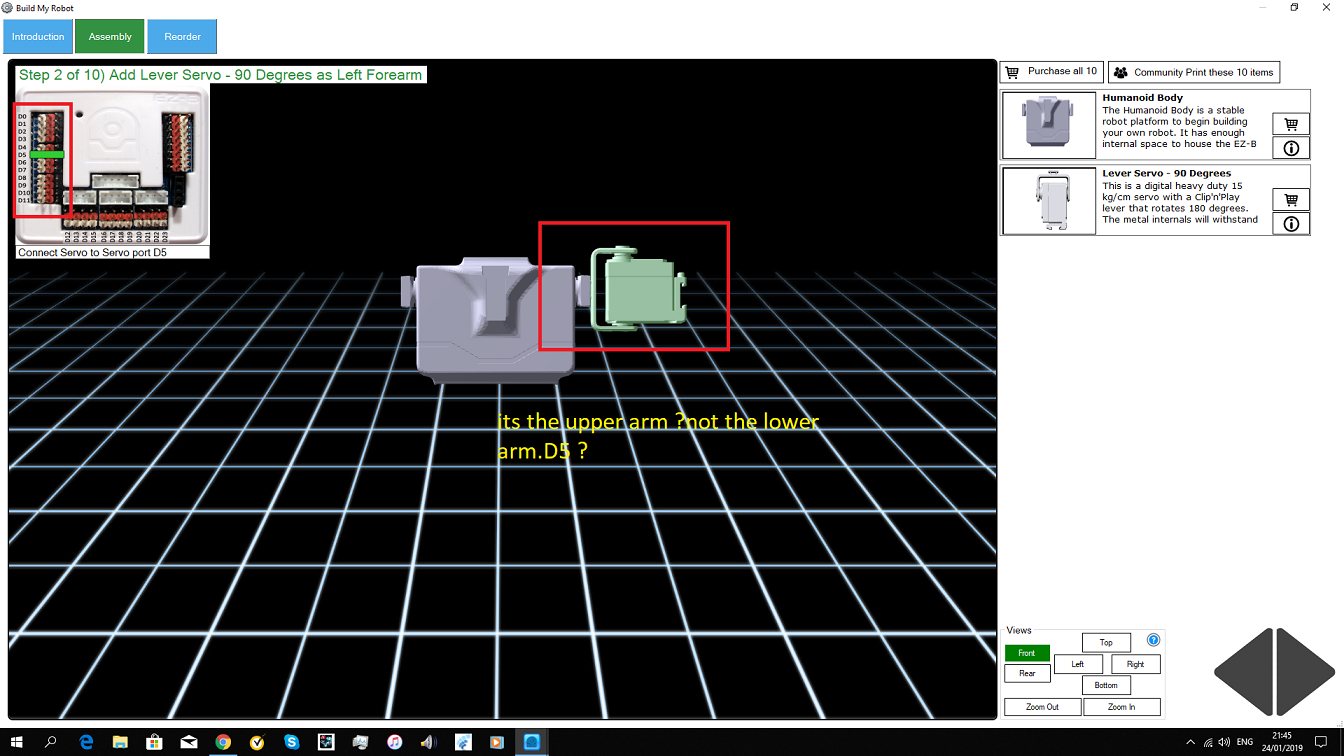
i notest an error in my ARC on the assemble page jd.on the model i see left upper arm as D5 ,chould be D4 can this be adjusted.i want to introduce a new ez robot.but i cant make it public if the assemble is not correct.The assembly is correct for EZ-Robot's JD Humanoid. If you are making your own robot, use the Robot Designer and change the ports as you desire.