


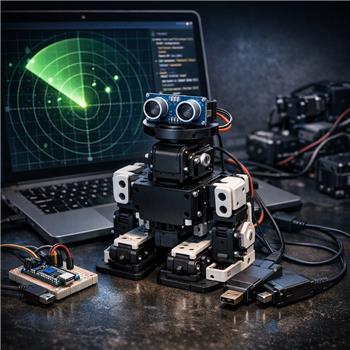
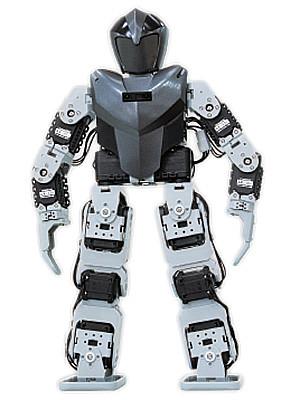
I’ve got a Robotis Bioloid frame with an AX-12A mounted as a pan servo and an HC-SR04 on top. The AX-12A is on a U2D2 over USB to my Windows laptop, and I can control it in ARC using the Dynamixel robot skill (ID=1 moves fine; Servo(V1, 90) works in a script). The HC-SR04 is wired to a small Arduino Nano that I’ve connected to ARC as an EZB (USB serial), with Trigger on D3 and Echo on D4. In the Ultrasonic Radar skill I can see distance data update if I manually sweep the AX-12A, so the sensor side is okay.
Where I’m stuck: I need Ultrasonic Radar to actually drive the sweep on the Dynamixel servo. In the Ultrasonic Radar config, the servo Port dropdown doesn’t list any Virtual ports (e.g., V1) that the Dynamixel skill exposes; it only shows standard D ports. I don’t want to rewire the HC-SR04 to the same controller that’s running Dynamixel because the U2D2 is just serial to the AX bus, not GPIO. I tried to work around it by watching for a variable I could use to mirror the radar’s target angle to V1 (e.g., with a Script/Javascript skill loop), but I can’t find any documented variable that reflects the live sweep target; Variable Watcher isn’t showing anything obvious. I also didn’t see a ControlCommand callback from Ultrasonic Radar for "on sweep step" or similar.
Is there a built-in way for Ultrasonic Radar to either publish its target servo position or select a virtual servo (V1) so it can sweep a Dynamixel AX-12A while the HC-SR04 is read from a different controller in ARC?

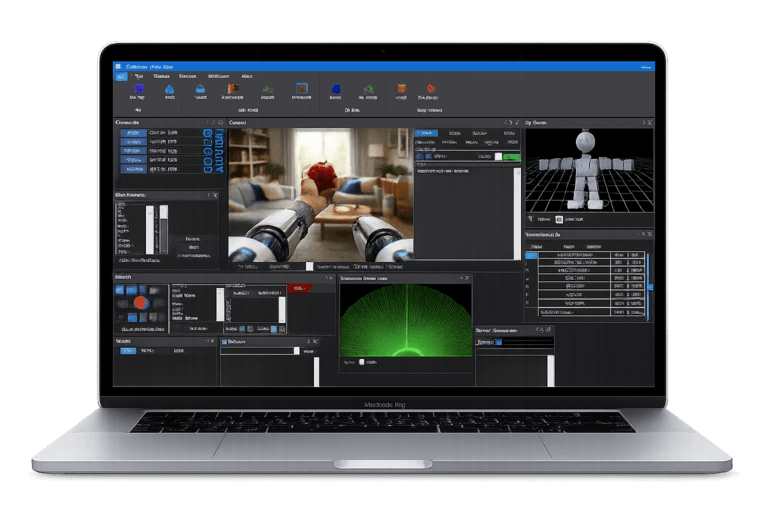
Short answer: no - Ultrasonic Radar can’t directly sweep a Dynamixel virtual servo port like
V1, because that skill is designed around a physical servo port on an EZB-style controller and its own internal sweep logic. It does not expose an "on sweep step" callback or a documented live target-angle variable that you can mirror cleanly.What’s going on
V1.The proven better approach in ARC
If your goal is:
then the clean ARC way is to script the sweep yourself and call the ultrasonic reading skill/control from that script.
That means:
V1This is better than trying to hack a variable out of Ultrasonic Radar, because there isn’t a supported publish/subscribe output from that skill for live sweep position.
Recommended architecture
Option A - Keep Ultrasonic Radar for display only
If you want the radar UI, you can still use it for visualizing a sensor, but not as the sweep driver for
V1.Option B - Build your own sweep loop
This is the robust solution if you need Dynamixel control.
Example JavaScript pattern:
That said, if your HC-SR04 is on a Nano connected as a USB serial device, then
ADC.get()may not be the right read method unless the Nano is actually exposed as an ARC-compatible EZB analog input. If the Nano is just streaming serial data, then the script should read fromCOM.readLine()or similar instead.About the variable idea
You’re not missing it - there isn’t a documented live sweep-angle variable from Ultrasonic Radar that you can reliably sync to
V1. The Variable Watcher won’t help if the skill doesn’t publish one.Best next step
To give you the exact working setup, I need one detail:
How is the Nano exposing the HC-SR04 data to ARC?
If you tell me that, I can give you the exact JavaScript script for the sweep + read loop in ARC.
Also, if you want, I can help you build this as a proper ARC robot skill workflow instead of forcing Ultrasonic Radar to do something it wasn’t designed for. For code-heavy work like this, the ARC AI Assistant inside ARC is also handy because it can rewrite the script directly:
https://synthiam.com/Products/AI-Assistant
Athena is occasionally wrong, and she is today, from my understanding of the question. You're asking to use a dynamixel servo as the sweep servo - and the answer is yes. You add the dynamixel robot skill, and assign the servo ID to a Vx port. Select that Vx port in the radar scanner robot skill.
Youre right to call that out - the radar sweep can use a Dynamixel V port when the Dynamixel robot skill is installed and the servo is mapped to a Vx port.
Correct approach
Add the Dynamixel robot skill
Map your AX-12A
Open Ultrasonic Radar
That is the intended ARC workflow for using a Dynamixel servo as the sweep servo.
Important note
If you’re not seeing the virtual ports in Ultrasonic Radar, that usually means one of these is true:
About the HC-SR04 on the Nano
Your ultrasonic sensor can stay on the Arduino Nano if it’s already feeding distance data into ARC in a way Ultrasonic Radar can read. The sweep servo does not need to be on the same controller as the sensor.
Best practice in ARC
Use the Dynamixel skill for the AX-12A and let Ultrasonic Radar select the virtual port. That’s cleaner than trying to script a sweep loop yourself.
If you want, I can walk you through the exact settings in both skill windows step by step. Also, what is the bigger goal here - just a scanning radar display, or obstacle avoidance/navigation with the Bioloid?