

 Resolved by
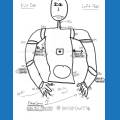



Hi, I just got my Six robot and assembled it. I can't get it to connect to my PC. I've been through the tutorials. Here's the basic info:
EZ-B v4 0684 is showing up in my list of available networks. I can connect to it but there's an exclamation point over the signal strength icon.
I've been through the tutorial and have followed the instructions. When I click on "Connect: in the Connection window I get the message "Could not connect to the EZ-B"
I see from other comments that there are issues with Avast, HP's etc. I don't have these variables.
Any help would be appreciated.
Tom

OK - thanks everyone. I think this is all working now!