


Hello everyone and first of all, scuse me for my bad english.
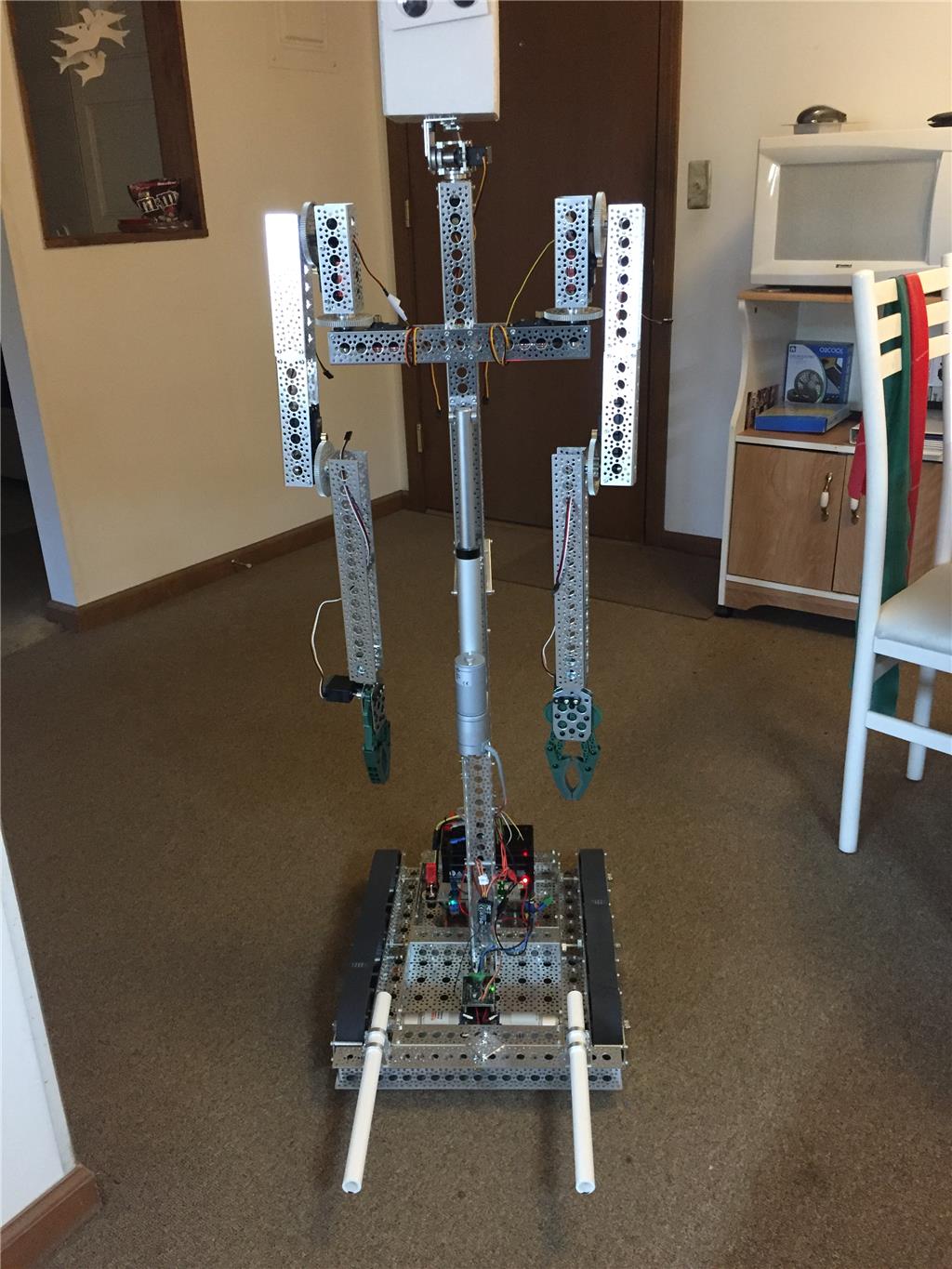
I am making this robot from about one year, and now, i am beginning to make this "run". This robot, has began to be made from an old Toy.
This was the original toy:

Thanks for EZRobot, i am doing a new robot very better.
I will show the progress here.
By odt
— Last update

Discover more robots
Ezang's MEASURING DISTANCE TO OBSTACLE USING THE HC-SR04
Measure distance in inches with HC-SR04 on Arduino using Synthiam ARC serial monitor; converts pulse microseconds to...
Luis's R2d2 Project Ready To Document
Open-source R2D2 build: Arduino sensor controller with ultrasonic foot sensors, Razor/Saber Tooth motors, PS4/EZB...
Robohappy's Introducing....HEMI Or HHCB1 (Home Health Care...
HEMI home-health robot prototype lifts and transfers patients using high-torque servos, actuator, sensors, EZ-B control,...

can you use ARC maybe.
@odt- I haven't used the sdk. I did this with EZ Script in ARC but, I imagine it's all pretty similar.
:KeyPressW Servo ($Tilt, 49) #Adjust tilt up speed 51 - 1 :KeyPressS Servo ($Tilt, 55) #Adjust tilt down speed 53 - 100
I'm going to use my 2 modified servos for pan and tilt because I have no other use for them. So I did a lot of experimenting and came up with this. I use the servo command to set the speed and direction of the modified servo. Ideally stop is 50 but servos very so, you'll have to hook your mod servo up to find out what value is "stop". As you can see in the above my "stop" value is 52. So by setting a value of 49 to my servo it pans up very slowly. If I set that value to 1 it will shoot up way too fast. I created these to be keyboard controls to tilt my camera. W&S/Up&Down. So I wanted it to move slow and have time to react to the key press and release.
So lets say you want to move forward using two mod servos as fast as they can. The code for that would probably be something like the following. Before we move on I should note that ARC now has 1-180 positions for servos but I've hooked all of mine up and none of them work past 100 so they don't appear to be optimized for that resolution. I have the servos that came with the ezb 3 kit and 2 TowerPro MG995.
Anyway, the code:
:Forward Servo ($RWheel, 1) Servo ($LWheel,100)
:Reverse Servo ($RWheel, 100) Servo ($LWheel,1)
The sdk commands should be similar but in short, that's how I've been controlling the modded servos simply by using the servo command.
I hope that helps.
ODT did you use the sabertooth motor controller for your i-qbot? blush