





Why is the charging cable only sticking through the body about 1/4"? This makes it VERY hard to connect the charger. I have to remove the left arm and use needle nose pliers to hold the connector
Is there an extension cable?
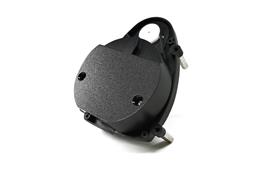 Hitachi-LG LDS Lidar
— Hitachi-LG LDS 360-degree LiDAR driver streaming scans into ARC NMS for obstacle detection, SLAM use, Arduino hookup, config options and variables.
Try it →
 Resolved by thetechguru!
Why is the charging cable only sticking through the body about 1/4"? This makes it VERY hard to connect the charger. I have to remove the left arm and use needle nose pliers to hold the connector
Is there an extension cable?

Send me your address (my email is in my profile) amd I'll mail you an extension cable. I bought a pack of 10 for $2 last year. Only need half of them.
(any hobby shop that sells RC planes/cars should have them)
Alan
Excellent. Just sent you an email. Thank you
Any idea why EZ robot does make the cable longer or provide a extension cable? I've seen posts where people have disassembled JD to make it longer and can't get it back together
The tutorial section has information regarding charging batteries and how to use your particular model of charger with photos of the charging locations of each robot body. You can find it here: https://synthiam.com/Tutorials/Lesson/26
Anyone looking for a charging cable extension, I found 6" 3 Pin JST cables on Amazon. Just have to solder the male connector pins to the end of the cable. Works Great.
Eric
6" 3 Pin JST Cable
here you can find all cables reddy to use.3 pin=4s/2pin=3s
batt cable