
can you use only port D0 for callibrate your servo's?
Asked
— Edited
2 Participants
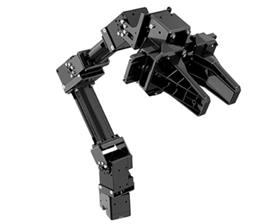 Robotis Openmanipulatorx
— Inverse kinematics for Robotis OpenManipulatorX: compute joint angles and MoveTo 3D (cm) positions, supports camera-to-CM mapping for pick-and-place.
Try it →

@nomad.
Quote from the tutorial...
As far as I'm aware, you can use "any" of the 24 digital ports to calibrate a servo (correct me if I'm wrong anyone). The tutorials use D0 as an example.
thats what i needed to know,thanks steve G
No problem buddy.
Jeez @nomad did you just join ez robot today or something...
rr
eyeroll