

I got anther board to troubleshoot my first one. However, this board needs a firmware update. It won't update though. Here is the debug report:
Firmware Updater Version: 2013.02.02.00 2/10/2013 6:37:04 AM - Begin Attempting connection on COM4 EZ-B reports EZ-B Firmware V12 Connected Disconnected
Any ideas? I can't get it to work on ARC without it.

That's a brand new board?
I think you're connected to the wrong COM port
I bought it from another member. The other COM ports don't connect as this one does. I did try the newer BT on my old board and using the same COM port and I got this from debug.
Firmware Updater Version: 2013.02.02.00 2/10/2013 6:39:38 AM - Begin Attempting connection on COM4 EZ-B reports EZ-B Firmware V16 Connected Your EZ-B has the latest firmware. There is no need to update. Disconnected
I know I must be making a wrong assumption on something.
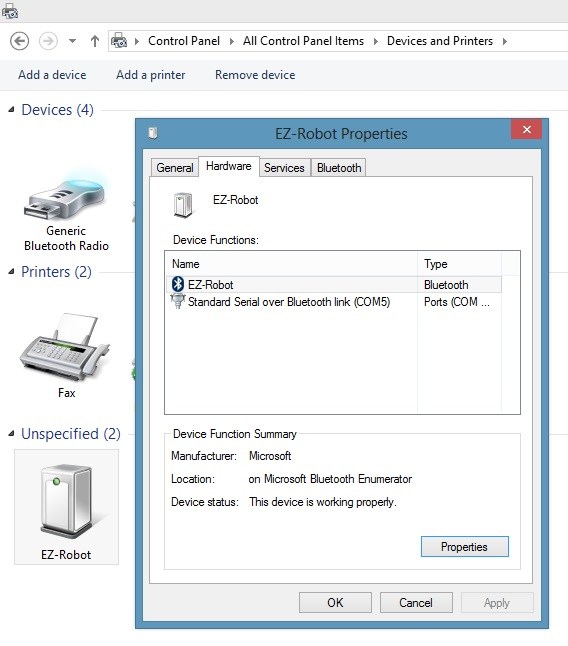
I've removed both EZ-B devices and added only the one I need firmware change and now its COM5. Here is the screenshot of the device if it helps.
If I switch the BT board to my older EZB it connects to COM5 in EZ_Builder.
I think i have a solution for you. It seems the update from v12 to v16 might be a big jump. I'll release an update in a few minutes.
Wow. Thank you!
UPDATE: Latest download fixed my problem! Thanks DJ!