




Ive tried copy and paste functions to move chunks of script around but nothing happens. Is there a specific key or certain way to copy and paste commands with ARC ?
Please help
Hazbot
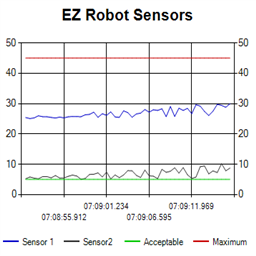 Ez Line Chart
— 4-series historical line chart to log and compare robot sensor values over time with customizable titles, colors, time axis and EZ-Script control
Try it →


Ive tried copy and paste functions to move chunks of script around but nothing happens. Is there a specific key or certain way to copy and paste commands with ARC ?
Please help
Hazbot

Ctrl-C to copy
Ctrl-V to paste
Too easy..Thanks Lumpy
Hazbot
And CTRL-X will cut
Very good, I also had this doubt, thanks!
And alt+F4 will save
I couldn't copy and paste text lastnight either. I was using CTRL-C, V, .
Strange???
That's weird, usually works fine. Is your keyboard configured as US layout?
Yep! I could have sworn that I used those functions before last night. But, it could be me.