






Hello everybody! My name is Alessio, I'm italian and a new member!
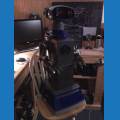
I just recently purchased an Ultimate Wall-E robot of Thinkway, and my goal is to turn it into an autonomous robot, just like djsures did with his Wall-E. I wondered, as my model (Ultimate) is very large (about 16" tall) how can I make an internal system, so as to make it independent from an external PC on which to run the ARC? Should I insert a PC in Wall-E? If so, there is a very small system (such as a cubieboard) which can run Windows and the ARC? Any other suggestion is welcome.. I really want to make a robot that does not depend on an external PC...
PS: please, forgive my bad english...

the wall e breaks up into 3 pieces.
the bottom plate, the box and the top plete. once you open up the wall-e body you can see how the arm come off.
as far as horizontal arm movement... see the grey disc that the arm is attached to? glue a servo horn to that, stick a servo into that and attach the arm to that servo. BOOM! horizontal arm movement. (by the way, that's a great band name)
@Rich I should probably limit myself to the same, tinker with the software and see how that goes. I'm just a beginner. Probably a Boxbot would have been a better start. It's hard not to get too ambitious when you see the great projects some very talented people have done in this community!
Thanks @hoolagen1 I notice you crammed a lot of movement functions into your Wall-E which is even smaller than the U-Command model! How on earth did you do the hand movement? And did your Wall-E's arms come apart by just undoing the screws or was some cutting required?
@hoolagen1, thanks for the suggestions! I just bought an U-command Wall-E ($35) and I will work on it. You suggest me to remove all the electronics from the base of Ultimate Wall-E, to add a motor controller for the 2 sets of motors in the wheels (H-Bridge?), but if I will remove all the electronics, how can I have all the original sounds of Wall-E? I bought an Ultimate WALL-E because it is the most complete model currently on the market, and frankly I liked to keep all of its features (especially the electronic features, such as voice recognition, sounds, etc...). I just want to make it independent from the remote. However, as a beginner, I will work on the small U-command...
@Sparkino. You're probably going to have to find the Wall-e sounds (wave or mp3) on the Internet and play them through ARC. I did this with my R2 D2 project...
@Richard, really is it possible?
@Sparkino... I did and other people have too. It's pretty much the only way to give wall-e a voice. .... That's how DJ did the sounds for his original Wall-e way back..
The V4 has built in soundboard/speaker too which makes it easier, plus it's smaller. After looking at my U-Command I will more than likely hold off on the EZ-B until I can get hold of a V4 for him (the original plan was to use one of my V3 boards but that would need a separate MP3 trigger etc. and it's bigger)