



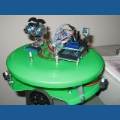

Hi! I finally got around to opening up the EZ Robot kit and start building a robot. The tutorial tells me that when I connect the batteries to the EZ-B there should be two blinking lights but mine does not light up at all. I am sure that the batteries are brand new and that the wires are connected properly. Does anyone have any ideas as to what the problem may be or possible solutions? Thanks!

AB2012
Canada
Asked
— Edited
6 Participants

Finally got it working. I had someone else try to connect the wires to the adapter and it worked on their first try...