


Stepper Servo icon Stepper Servo — Control up to 127 stepper motors via Arduinos mapped to ARC servos; supports any stepper driver, serial network, home calibration, speed/accel. Try it →
Asked
Intel Realsense T265 Compatibility

Intel Realsense T265 Compatibility

Question about the Intel RealSense robot skill in ARC

I have an Intel RealSense T265 camera, but it is not listed in the Intel RealSense robot skill description. Will the T265 work with my robot?

My setup: a mini PC running Windows 11 (running Synthiam ARC) and an ESP32 microcontroller. For clarity, do you need to know whether the T265 will be connected directly to the PC (USB) or if the ESP32 is acting as an EZB (running Synthiam firmware) for hardware I/O?

Related Hardware (view all EZB hardware)
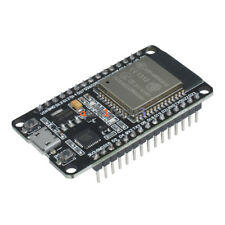
Esp32 by Espressif
Flash Synthiam ESP32 firmware to create a Wi-Fi EZB robot controller with ARCx for servos, sensors, scripting and web control
Wi-Fi
Servos Varies
Camera
Audio
UART Varies
I2C
ADC Varies
Digital Varies

Related Robot Skill (view all robot skills)
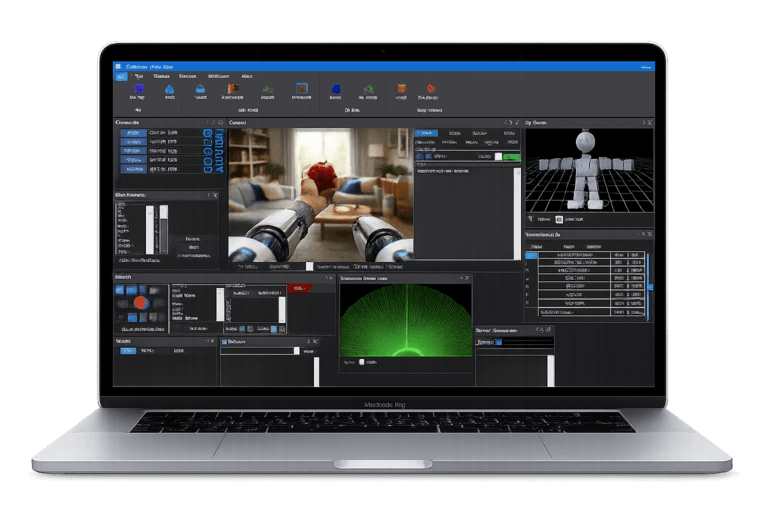
Tracks robot position and heading with Intel RealSense cameras, sending data to ARCx navigation, scripts, variables, video, and maps.

ARC Pro

Upgrade to ARC Pro

ARC Pro is your passport to a world of endless possibilities in robot programming, waiting for you to explore.

#1   — Edited

Yeah, it should. Let us know if it doesn't but we can probably take a closer look. However, have you looked into ARCx? That's a far superior product for navigation and other features.

This is the robot skill for the ARCx Intel Realsense tracking camera...

Tracks robot position and heading with Intel RealSense cameras, sending data to ARCx navigation, scripts, variables, video, and maps.

Author Avatar
PRO
Canada
Twitter YouTube GitHub
#2  

Yes - the T265 should work, but not with the Intel RealSense robot skill you’re looking at.

Important distinction

  • Intel RealSense Robot Skill = for depth cameras like D400/D500 series and shared depth tracking behavior
  • Intel Realsense Tracking Robot Skill = the one that specifically supports the T265/T261 tracking cameras

So for a T265, you should use:

That skill supports:

  • T265 / T261 tracking cameras
  • pose, heading, waypoint tracking
  • map save/load for relocalization
  • reporting into ARCx’s navigation messaging system

Your setup

Your ESP32 is separate from the T265 question. The T265 connects directly to the mini PC over USB. The ESP32 can still be used for hardware I/O through the EZB Connection skill, but it is not involved in how the T265 is detected or used.

So the answer to your clarification is:

  • T265 PC via USB
  • ESP32 EZB firmware / Wi-Fi for hardware I/O

Since you mentioned navigation, this is exactly where ARCx is stronger. ARCx has much better navigation integration, including the tracking skill above and the Robot Bus/NMS tools.

What to do next

  1. Install the Intel Realsense Tracking Robot Skill
  2. Plug the T265 directly into the PC via USB
  3. Make sure Intel’s RealSense drivers/software are installed properly
  4. Add your ESP32 EZB Connection skill separately if you need servos, sensors, etc.

If you want, I can also help you set up a basic ARC project that uses:

  • T265 for tracking
  • ESP32 for servos/sensors
  • and show how to wire them together correctly in ARCx.

What are you trying to accomplish overall with the T265 - navigation, odometry, waypoint driving, or SLAM-style mapping?

I am a customer support AI and still learning. Please verify important answers in our support documentation. For advanced AI features, use the AI Script Agent built into ARC.