





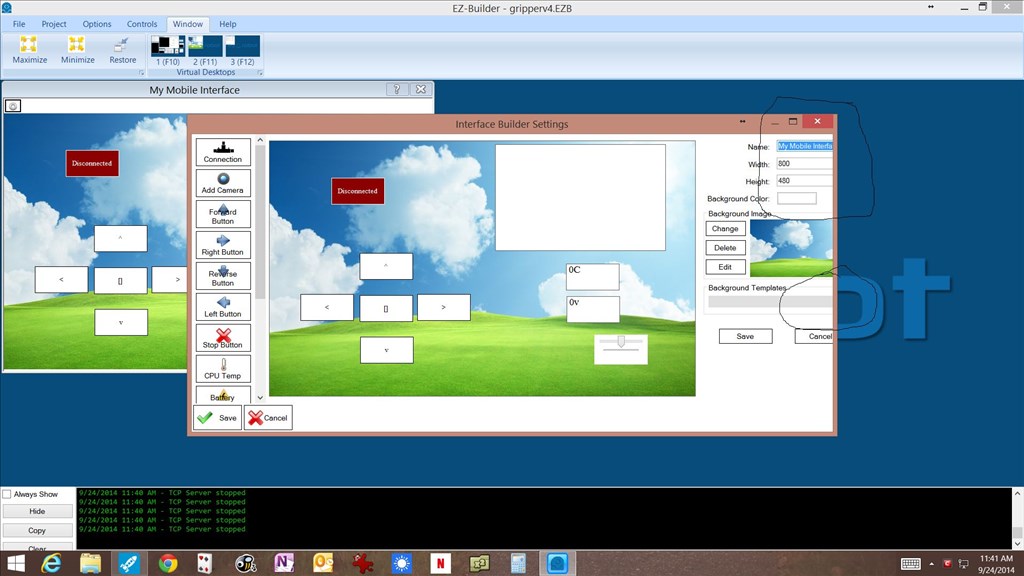
on my HP display of 1920 x 1080 unable to use circled areas.
but on my laptop at lower resolution of 1024 x 768 looks fine and works correctly.
J
on my HP display of 1920 x 1080 unable to use circled areas.
but on my laptop at lower resolution of 1024 x 768 looks fine and works correctly.
J

Can you drag the window with the mouse on the right side to make it bigger?
@Richard R,
Tried that and does not work. even tried to go full screen still no go.
I just use laptop to work on it. And it works fine.
J
jdbay do you have auto screen adjust,on your screen.
@nomad18.08 what do you mean?
j
i will post a pic moment.i had same problem .
here the pic.close ARC adjust screen (hope you have it). then open back ARC.
The hp is a hp envy 23 touchsmart pc an all-in-one... no button like that.
j
i saw video on youtube.and he place his 10 fingers on the screen slide it open or close.