



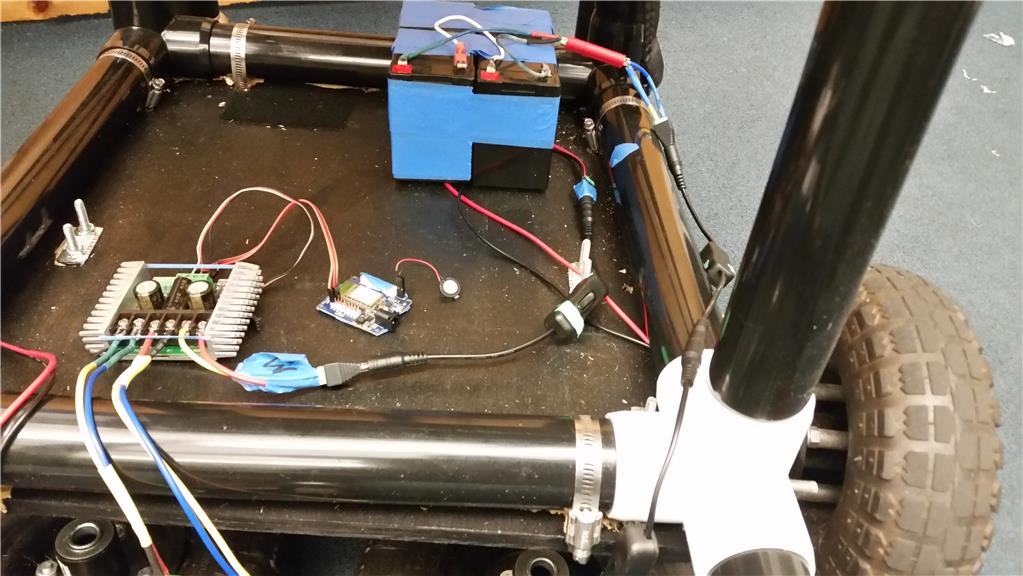
Hello all, I’ve been following some threads on people who are using the Sabertooth motor driver with the EZ- robot controller. Haven’t seen a solution that helps.
I’ve accomplished this in a small scale using a L298 motor controller. I’ve also had success controlling the Sabertooth with wheelchair motors flawlessly with an r/c controller. Of course, the r/c and Sabertooth uses a certain dip switch. I’ve finally got help from Dimensions Engineering. The dip switch for using the Sabertooth with EZ-robot (in serial) is all OFF and 5 & 6 ON.
I’m using wheel chair motors and the problem is when I give commands with Sabertooth serial it’s never the same output. For example, when I go forward it goes another direction, and/or one motor is slow. Afterwards, when I press the same command sometimes it goes crazy in another direction and/ or. different speed. All- in-all, one out of four times when I press the same command it does something different.
What can I do to alleviate this problem?
What I’m looking for is consistency! Thanks in advance. Victor

How are you powering the iotiny?
If Richards script works. Add the sabertooth control in Project -> Add Control -> hbridge
Then configure the control for the specified baud rate.