
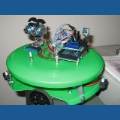

Ok, I saw the videos on the robot recognizing the Glyphs. Cool. But, what I did not see was a video or tutorial teaching how to TRAIN the robot to recognize the Glyph. Please forgive me for not seeing this. I am sure it was there. I see where to check the box to recognize a Glyph. But, how do you train it? Also, I would like to recognize pictures and such. I am sure that they are related.
Please point me to it.
Thanks,
Mel

https://synthiam.com/Tutorials/Help.aspx?id=80 is a direct link to the camera control tutorial page. Or you may press F1 when any control is Active, or hit the question mark icon for assistance.
On that page you can print the recognized glyphs.
If you wish to add your own glyphs, you will use the EZ-SDK. Additionally, for more advanced vision tracking, you can use OpenCV with the EZ-SDK.
thanks D.J.!!!