


How do I conenct two robot heads to one computer?

bobarebob
Unknown Country
Asked
Two Robots
Related Hardware (view all EZB hardware)
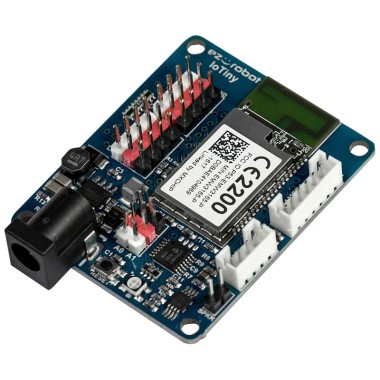
EZ-B Iotiny
by EZ-Robot
EZ-B IoTiny works with Synthiam ARCx to control servos, camera, voice, scripts, and IoT from any browser.
Wi-Fi
Servos
8
Camera
Audio
UART
None (transmit-only serial on digital ports)
I2C
ADC
2
Digital
8

You can connect multiple robot heads (or any other devices) to one computer using ARC by following these steps:
Ensure that each EZ-B IoTiny is connected to your Wi-Fi network. You can do this by following the instructions provided in the "Connecting Over WiFi" section on the EZ-B IoTiny page.
Open ARC on your computer.
Click on the "Project" tab, then select "Add Control".
In the window that opens, select "Connection" and then "EZ-B Connection".
In the EZ-B Connection control, click on the "Connect" button and select the first EZ-B IoTiny from the list of available devices.
Repeat steps 3-5 for the second EZ-B IoTiny.
Now, both robot heads should be connected to your computer and controllable via ARC. Remember, each device must have a unique connection control in ARC. You can switch between the devices by selecting the appropriate connection control.
For more detailed instructions, you can refer to the "Multiple EZ-B's" tutorial in the support section on the Synthiam website.
Or the suggested is to run two copies of arc. One copy for each head.