









Robot Programming Questions and ARC Help
Get help with ARC scripts, Robot Skills, hardware connections and robot behavior. Browse questions and answers from the Synthiam community.



Drive Real Robots, Anywhere
Remotely operate robots around the world or add live telepresence to your own build — straight from your browser.
Discover Exosphere
Robot Sticker

Autonomous AI
Autonomous AI robot skill with vision, speech, movement, animations, and self-directed task...

Azure Text To Speech
Azure Text-to-Speech for ARC: generate natural-sounding robot speech with Microsoft Azure voices,...

Exosphere
Telepresence and remote control for any robot with human-assisted tasks, video, audio, and AI...

Azure Speech Synthes…
Microsoft Azure neural text-to-speech for ARCx scripts and skills, with multilingual voices, SSML...

Rtk Gps
RTK GPS rover/base skill with NTRIP corrections, cm-level pose, heading support, map fusion, and NMS...

Outdoor Navigator
GPS-driven outdoor robot navigation with satellite maps, saved waypoints, zones, no-go areas,...

Control robot arms with inverse and forward kinematics, converting X/Y/Z positions into joint motion and reporting end-effector location.
Object Training With V4 Camera
Once a new object is named and trained, it appears in the Trained Object box. I have found that you can't delete any trained objects, ie they can't be individually selected and deleted. The only way is to delete the Camera console from the project, thus removing all trained objects. Am I missing something or is this the correct procedure? It seems... 5
 3 k
Kalman Filter To Detect A Colored Ball
Hi, This is my first time on the forum and I'm very new to the EZ- Robot platform. I'm at statistics student and would like to demonstrate the Kalman filter through a simple action- my idea being to get my robot (the JD) to rotate its head until it can find a door. The door will be recognizable by the presence of two red balls but there would also...
2
2 k
Roli's Camera
am using new mobile app on ios.what i notest is that the camera movement, only goes all the way down or up or left and right.it doesn stop where you wanted.
14
5 k
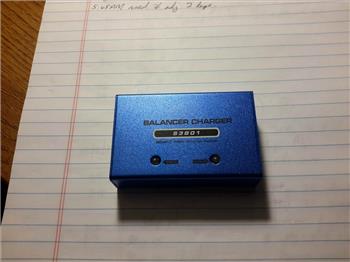
Very Hot Balancer Charger
I did a search on charger and looks like no one else is having this problem. I got six assembled and briefly test all is great. So I thought I would check out the...
20
11 k
Arduino Into Ezb V4
Is easy to turn an arduino uno into an ezb v3. I can't find any ezb v3 to buy and I like the ezb v3. somehow the title changed to ezb v4 it should be ezb v3. steve3624
11
4 k
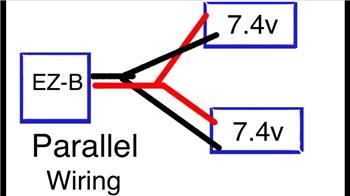
Adjustable Step Down Voltage Regulator
Hi I was wondering what is the best digital voltmeter displayed adjustable step down voltage regulator to use with the ezb v4 when powered by...
18
6 k
Few Baby Steps More
this shows how great ARC is.as a non programmer to be able, set up camera recognition.awesome
4
3 k

Ez-Robot Jd Has A New Friend
Looks like Revolution://JD may have a friend to play with soon: https://www.kickstarter.com/projects/2107823129/plen2-the-worlds-first-printable-open-source-human...
10
5 k
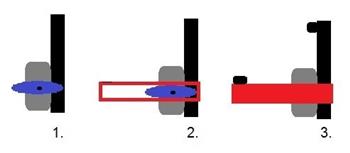
Help With Grippers
Hello all, I'm new here so, I just ordered the EZ-Robot Developer kit, and I'm very excited. Problem is, I need grippers. I didn't want to buy the pre-made grippers. They looked cool,...
12
4 k
Wow Look All Those Kids
whats happening here?ST patricks day?
8
3 k
Get Connected: Win An Ezrobot Six Hexapod
Win an EZ Robot Revolution Six Hexabot! This hexapod robot kit is a creative robot platform. Assembled with ez-bits, Six is a very customizable robot with 6 legs and 12 degrees of freedom. The joints are powered by 12 heavy duty servo motors, allowing unique, dynamic movement. The removable ez-bit joints and top mounted camera enhance Six's ability...
21
6 k
Seabettooth Serial Movement Panel
Hello. when i add the seabertooth serial movment pamel it default to board0 . is there anyway to chagne it to board2. or is there whole difgernt way to control my sabertooth? i am using seabertooth in simpale serial mode. thank you.
4
3 k