









Robot Building Community
Share robot projects, ask ARC programming questions and learn from other builders. Browse tutorials, Robot Skills, example programs and community discussions.


Drive Real Robots, Anywhere
Remotely operate robots around the world or add live telepresence to your own build — straight from your browser.
Discover Exosphere
Robot Sticker

Autonomous AI
Autonomous AI robot skill with vision, speech, movement, animations, and self-directed task...

Azure Text To Speech
Azure Text-to-Speech for ARC: generate natural-sounding robot speech with Microsoft Azure voices,...

Exosphere
Telepresence and remote control for any robot with human-assisted tasks, video, audio, and AI...

Azure Speech Synthes…
Microsoft Azure neural text-to-speech for ARCx scripts and skills, with multilingual voices, SSML...
Rtk Gps
RTK GPS rover/base skill with NTRIP corrections, cm-level pose, heading support, map fusion, and NMS...
Outdoor Navigator
GPS-driven outdoor robot navigation with satellite maps, saved waypoints, zones, no-go areas,...

Control UBTECH Alpha UBT-12HC smart servos via ARC using EZ-B v4/IoTiny UART, assign virtual ports, set baud, custom bits and position mapping.
Auto Position And Stepper Servo Skills
My question is does the Auto Position skill work with the Stepper Servo skill? I was asking this question because I was thinking about replacing some of the joints in my Inmoov build with stepper motors with gear boxes. I would want to make sure I would have the same level of control. 2
 2 k
Control Ubtech Alpha Servos With The Ez-B V4?
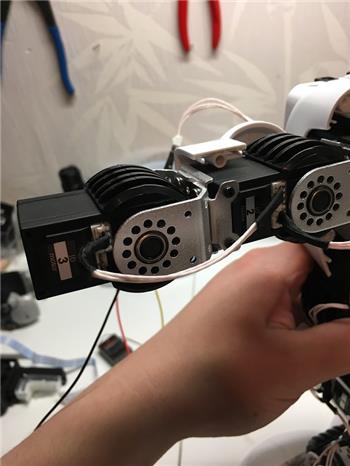
Hello, I have a question . I have these servos in my robot and have now bought the EZ-B V4. But if it does not get to work, can...
121
25 k
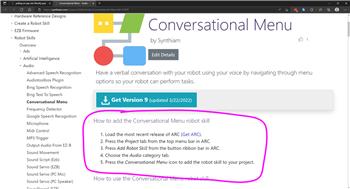
Pulling An App Into Blockly Page
I'd like to have apps like the conversation app be able to be pulled into a Blockly page. This would save a lot of room on the page and would help to keep...
2
2 k
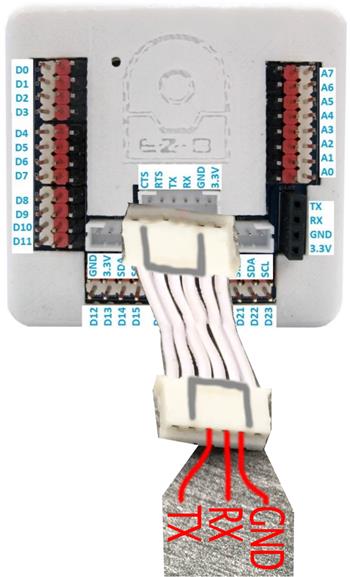
Best Way To Attach Onboard Computer To EZB V4
All the upgrades and changes this past year or so to EZ Robot and Synthiam's ARC software (Used to be ARC) has left me behind a...
34
5 k

DHT11 Temp & Humidity Sensor v1
Read DHT11 temperature and humidity on Arduino (signal pin 4) using EZ-Genuino_DTH11_Uno firmware; exposes $Temp and $Humid variables.
3
65 k
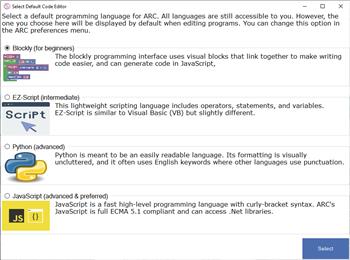
Blockly And Communication
first question: when I installed the application, i put that i was comfortable with programming and that i could therefore use python, which is the case, but I would also...
2
916

Read Digital
Read TTL digital input from an ARC I/O port; real-time red/green status for low (0V) or high (+3.3/5V), selectable board/port and read...
2
8 k

Dialogflow v23
Add Google DialogFlow NLP to ARC: conversational intents, parameter prompts, scripted responses, service-account setup and programmatic...
6
104 k
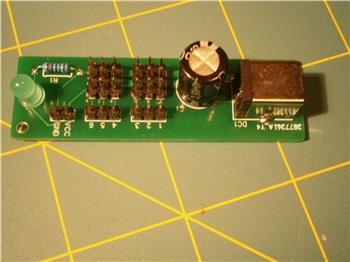
How To Design Custom PCB's
In my Inmoov project I need to develop some break-out PC boards for the signal lines and power to different parts of the robot. I have seen others that have done this...
22
4 k
ARC 2022.05.15.00 (Pro & Runtime)
Improved camera canvas reduces CPU usage during rendering; fixes graph control GPU artifacts in audio robot skills; adds Copy JS to Servo Summary
0
3 k
Python Servo Control
How to start using python in ARC? Could not find how to create and run python app in the ARC. Ta
21
3 k

Camera Snapshot
Save camera snapshots to 'My Robot Pictures' (Pictures folder), manual or timed (0-100s), and trigger programmatically via controlCommand.
3
7 k