









Robot Building Community
Share robot projects, ask ARC programming questions and learn from other builders. Browse tutorials, Robot Skills, example programs and community discussions.
Drive Real Robots, Anywhere
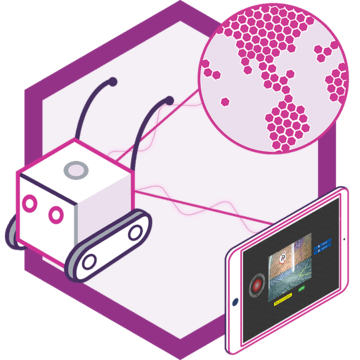
Remotely operate robots around the world or add live telepresence to your own build — straight from your browser.
Discover Exosphere
"I build robots" Hoodie

Autonomous AI
Autonomous AI robot skill with vision, speech, movement, animations, and self-directed task...
Azure Text To Speech
Azure Text-to-Speech for ARC: generate natural-sounding robot speech with Microsoft Azure voices,...

Exosphere
Telepresence and remote control for any robot with human-assisted tasks, video, audio, and AI...
Rtk Gps
RTK GPS rover/base skill with NTRIP corrections, cm-level pose, heading support, map fusion, and NMS...
Outdoor Navigator
GPS-driven outdoor robot navigation with satellite maps, saved waypoints, zones, no-go areas,...
Bn880 Gps Compass
BN-880 GPS/compass fusion for ARCx: smooth robot pose, heading, and earth-mapped coordinates for...

Stream video from any URI/protocol (RTMP, RTSP, HTTP, UDP, etc.) to a selected ARC camera device for real-time network feed playback.
Ping Radar Scan v2
Sweeping ultrasonic radar with live display, obstacle avoidance, clearest-direction tracking, NMS output, and scriptable obstacle zones 0
 654
Orbbec Depth Camera v2
Orbbec 3D camera skill for ARCx: obstacle scans, video, depth, IMU tilt, detections distance, recordings, point clouds, multi-camera...
0
695
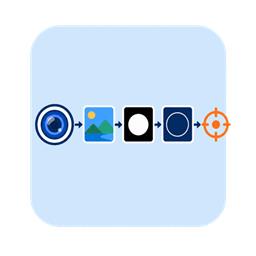
Opencv Filter Flow v2
Build custom OpenCV pipelines to detect colors, shapes, edges, and contours with live step-by-step tuning in ARCx.
0
458
Ohmnilabs Telepresence v4
Control an OhmniLabs telepresence robot from ARCx: wheels, neck, battery, light ring, odometry, docking, and navigation support.
0
2 k
Mqtt Broker v2
MQTT broker for ARCx with robot bridge, topics, triggers, retained messages, TLS/WebSockets, security, and scripting control
0
656
Movement Script v2
Runs scripts on robot direction changes for lights, sounds, logs and actions without driving the motors
0
525
Midi Control v2
Turns MIDI controllers into robot controls for servos, movement, variables, scripts, lighting, and synth output with layers and feedback
0
917
Microphone Playback (Ezb) v4
Records microphone audio into named slots and plays it through an EZB speaker, with recordings stored in the project.
0
3 k
Kinect Xbox 360 Depth Mapping v2
Uses Kinect v1 as a depth sensor for obstacle scans, floor-drop detection, vision range measurement, tilt/LED control, and simulated testing...
0
698
Kinect Body Control v2
Turn your body into a robot controller with Kinect or any camera, tracking gestures, joints, scripts, and servo mappings in 3D.
0
715

Joystick v5
Cross-platform controller skill for driving robots, steering servos, flying drones, and running scripts with USB or Bluetooth...
0
2 k

Irobot Roomba Movement Panel v4
Movement panel for iRobot robots: drive, read sensors, track position, run scripts, play tunes, and connect via serial, Wi-Fi, or ROS 2
0
2 k