




does the HC-SR04 Ultrasonic Distance Sensor that came with the v3 developer kit work with the v4 or does it need a voltage regulator

bborastero
Gibraltar
Asked
— Edited
6 Participants

looks good, but just remember not to travel to anywhere where you cant get the 1.21 gigawatts of electricity. People have gotten stuck that way.
How do you connect the HC-SR04 Ultrasonic Distance Sensor to the board?
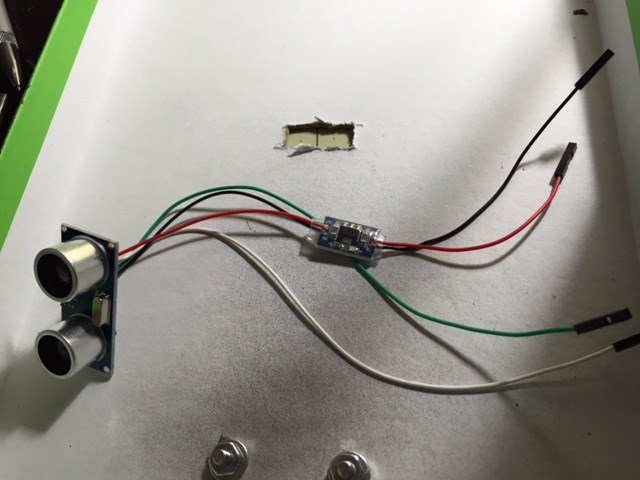
I got a development kit and I think it already comes with a voltage regular, I am not sure a) where to connect it b) in the builder how to add it.
Below is a picture of what mines looks like.
you will use 2 digital ports.
on the first port black to black white to white red to red
on the second port green to white.
You will then need to set the ports up in ARC depending on which control you are using.
either the first or the second port will be send. the other one will be receive.
I have the Ultra sonic sensor from the EZB v3 kit. I know it needs a 5v regulator for use with the EZB V4, but can I use this one? https://www.robotshop.com/en/lm78m05-voltage-regulator.html
Yeah!
Thanx DJ:) wired as normal to the +/- wires?