









I have just bought a Surface Pro 4 and have been trying all afternoon to set up ARC but just cannot get the resolution to look right - I tried dozens of settings, but all I get is bunched up text as jpeg below.
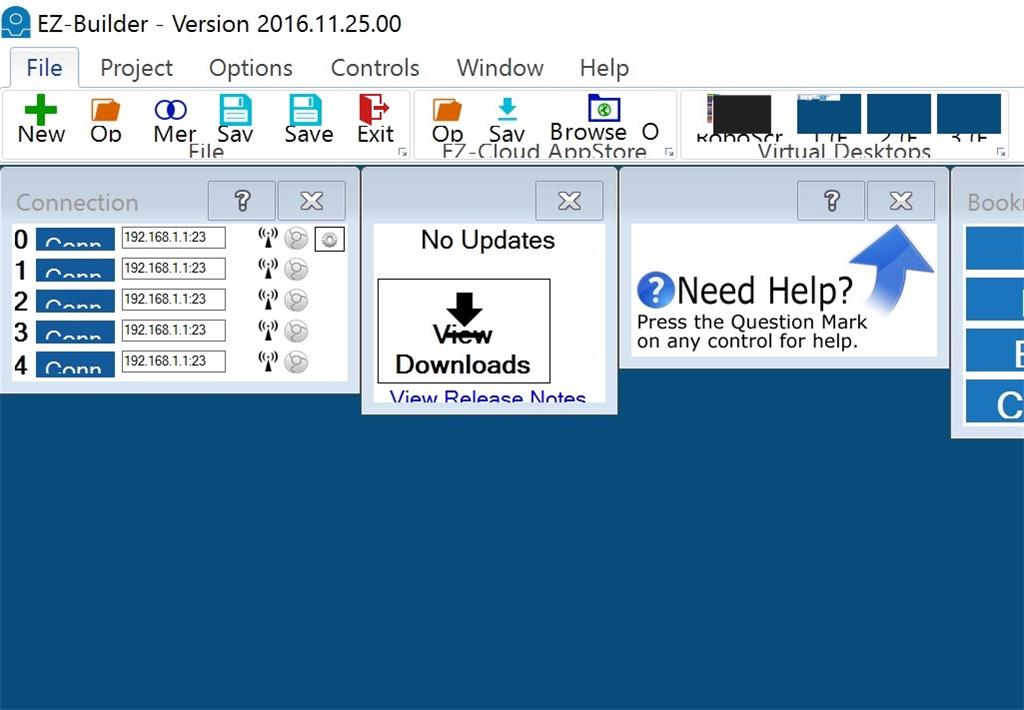
I have had big screen resolution problems before on my Windows 7 Asus slate tablet which also never worked properly with ARC, is it just me or is there a problem with the way ARC handles screen resolution?
If anyone can help it would be greatly appreciated!
Tony

DJ, I tried the update and initially it looked good as the project came in ok with the top part showing correctly. I then saved the project then loaded it again and the top part was still there so I thought the problem was solved. I then tried to move one of the controls to below the lower controls shown on the display, once this is done the whole problem starts again as if you then save and load again the top part has gone again presumably under the menu bar. So with this version everything is better until you add any new windows/controls that expands the screen.
Dave, it is exactly as your post#14 the top controls look to be being pushed under the menu bar.
Tony