

There appears to be a bug in the SET script command it causes a compiler syntax error when used. I'm using ToggleDigital as a workaround for now
winstn60
United Kingdom
Asked
— Edited
1 Participant

Oh my! I will take a look at it tonight
Hello!
I looked at the command, and I can not duplicate the error. The command appears to work fine. Reference the script help along the side for the command example...
Just tried it again and it works now?
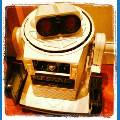
It's a simple piece of code to switch the Omnibot eyes on/off when you pass near his ping sensor
Ping_Wait(D2,D3, lower, 30) set(D12,on) set(D13,on) Ping_Wait(D2,D3, Higher, 30 set(D12,off) set(D13,off)
Repeat on
Perhaps it was the previous ARC ver which I can't test
Thanks for looking
