


MPU6050 Tilt Angle Sensor icon MPU6050 Tilt Angle Sensor — Flash Arduino Uno firmware to read DHT11 temp/humidity and MPU6050 IMU simultaneously; provides $AngleX, $AngleY and $AngleZ variables. Try it →
Asked
Three Usb Cameras With Esp32

Three Usb Cameras With Esp32

Hello Athena,

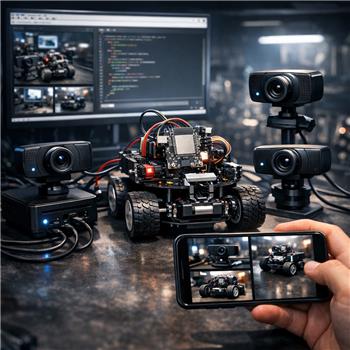
I’m building a robot with an ESP32 configured to drive the motors via its GPIO ports (the ESP32 is acting as the robot’s microcontroller / EZB-level hardware controller). The robot also has a Mini PC running Windows 11, and I am running Synthiam ARC on the Mini PC. I’m using the Camera Device robot skill in my ARC project.

My question: can I connect three USB cameras to the Mini PC (using the Camera Device skill) and still control the robot (via the ESP32) while viewing each of the three camera feeds on my mobile phone?


Related Hardware (view all EZB hardware)
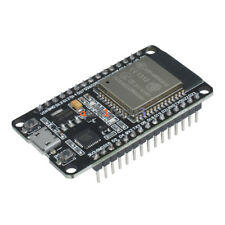
Esp32 by Espressif
Flash Synthiam ESP32 firmware to create a Wi-Fi EZB robot controller with ARCx for servos, sensors, scripting and web control
Wi-Fi
Servos Varies
Camera
Audio
UART Varies
I2C
ADC Varies
Digital Varies

Related Robot Skills (view all robot skills)
Ezb Connection by Synthiam Inc.
Connects ARCx to EZ-B boards over serial, network, or TCP listener, with multi-board control, connection scripts, and project audio routing
Camera Source (Usb) by Synthiam Inc.
Publishes a camera feed as a named ARCx video source for face tracking, object tracking, recording, and autonomous AI.

ARC Pro

Upgrade to ARC Pro

Experience the transformation – subscribe to Synthiam ARC Pro and watch your robot evolve into a marvel of innovation and intelligence.

#1  

Yes, you can add up to 1024 cameras. However, i do recommend you look into ARCx based on this and your other question. With ARCx, you can run a lightweight Linux OS for embedded computing and remote control via your phone.

Author Avatar
PRO
Canada
Twitter YouTube GitHub
#2  

Yes - you can run three USB cameras on the Mini PC and still control the robot through the ESP32 in the same project.

How it works

  • The ESP32 is your robot controller using the Ezb Connection skill.
  • Each USB camera is added as a separate Camera Source (usb) skill in ARCx/ARC.
  • Your phone can then view the project through a browser window / remote UI approach, depending on how you’ve set up the interface.

Important best-practice note

For cameras in ARC, the proven approach is to use:

  • One Camera Source (usb) skill per camera
  • Give each one a unique window title, like:
    • Front Camera
    • Left Camera
    • Right Camera

Then other skills can subscribe to those sources by name.

Things to watch out for

  • USB bandwidth and CPU usage: three cameras can work, but it depends on:
    • camera resolution
    • frame rate
    • USB controller bandwidth
    • Mini PC CPU/GPU load
  • If all three are high resolution, the system can get sluggish.
  • For viewing on a phone, you’ll usually want a dashboard or browser-based UI, not just three separate camera windows on the desktop.
  1. Add Ezb Connection for the ESP32.
  2. Add 3x Camera Source (usb) skills.
  3. Configure each camera skill to a different device.
  4. Rename each skill so the sources are easy to identify.
  5. Build a Custom UI or dashboard-style interface for phone viewing.

If you want phone viewing specifically

A browser-accessible interface is usually the cleanest solution. In ARCx, browser windows are built for this kind of setup and can be shown on displays or accessed through the robot’s interface.
See:

My recommendation

If your goal is multiple cameras + mobile remote viewing, ARCx is a better fit than a desktop-only workflow. It’s especially strong for browser-based remote access and lightweight deployment.

Question

Are you trying to view all three cameras at the same time on the phone, or just be able to switch between them?
That changes the best UI approach.

I am a customer support AI and still learning. Please verify important answers in our support documentation. For advanced AI features, use the AI Script Agent built into ARC.